
Serverless Best Practices
Overview - It's All About Custom Resources
Kyma Serverless introduces a Function CustomResourceDefinition (CRD) as an extension to the Kubernetes API server. Defining a Function in Kyma essentially means creating a new instance of the Function custom resource (CR). However, the content of the Function CR specification may become quite long. It consists of the code (or Git reference to the code), dependencies, runtime specification, build-time specification, etc. Additionally, there are other CRs that are relevant for a Function developer - that is, APIRule (defining how Function is exposed to the outside world), Subscription (defining which CloudEvents should trigger a Function), and others.
All of that can be easily managed using the following best practices for the Function development. You will find recommendations that will be helpful for you at any stage of your development journey.
Use UI to Explore
At the beginning of your Kyma journey, you will probably want to evaluate Serverless and draft a few Functions. Kyma dashboard is perfect to gain basic experience and start the journey with Kyma Functions. Its dedicated Serverless features help you draft your first Functions by putting the code directly in the browser using a Web IDE. Kyma dashboard will also help you expose your Function using HTTP, define environment variables, subscribe to CloudEvents, bind ServiceInstances, and even show you the Function logs - all in one place.
Get started with Function UI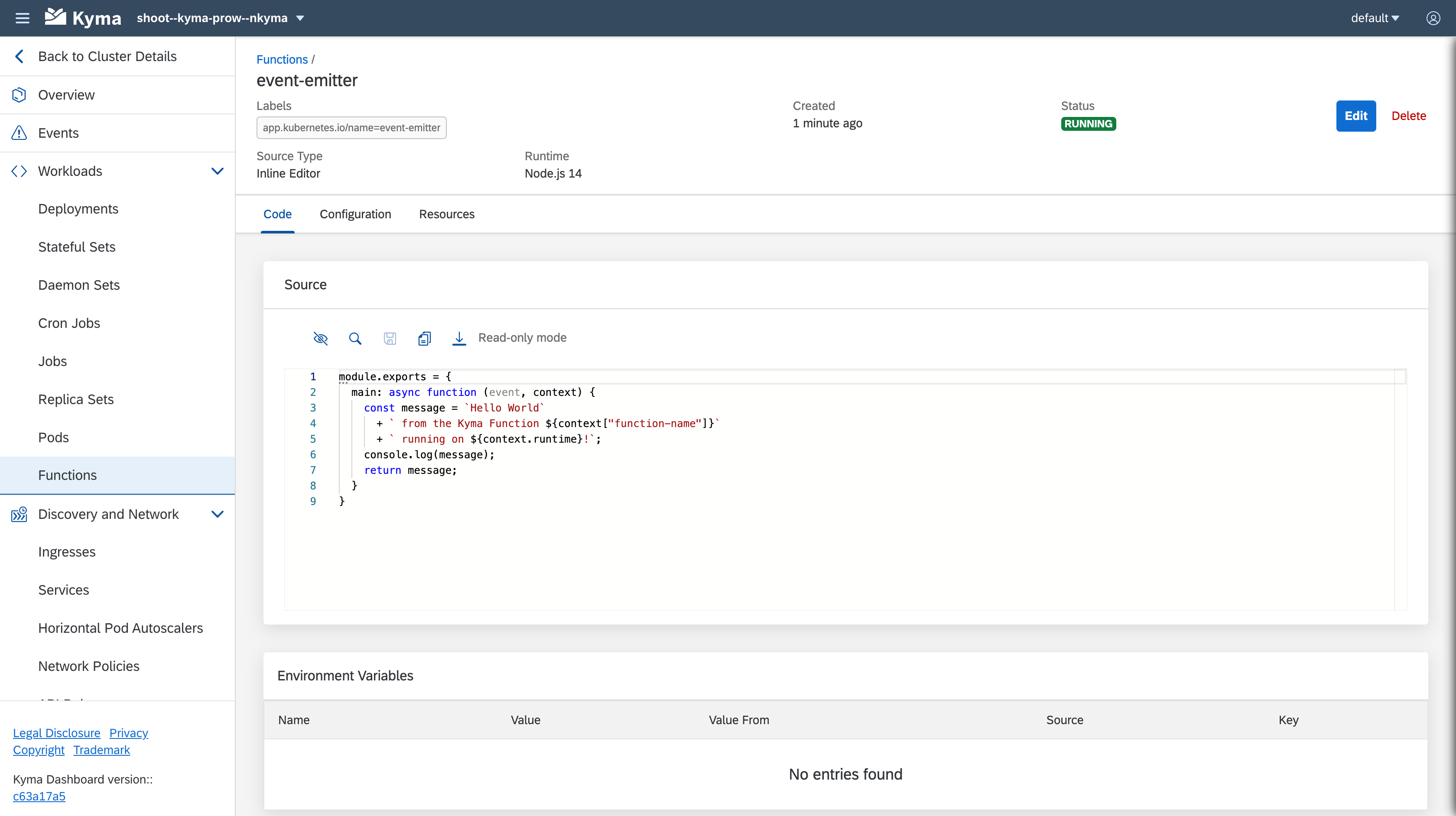
Use Kyma CLI for Better Development Experience
Defining your Function from the Kyma dashboard is quick and easy, but it might not satisfy your needs as a developer. To code and test more complex cases, you may want to write your Function in your favorite IDE or run it as a part of a bigger pipeline. In the end, having deployable artifacts is more desirable. This is where Kyma CLI comes in handy, enabling you to keep your Function's code and dependencies locally.
Initialize a scaffold for a brand new Function using the kyma function init command and then create a Function based on previously generated files using the kyma function create command.
Deploy Using CI/CD
Kyma dashboard helps you get started. Kyma CLI helps you iterate and develop Functions. But at the end of the day, you may want an automated deployment of your application, where Functions are just part of it. It all comes down to the deployment the Kubernetes applications on different Kyma runtimes in a GitOps fashion. For the sake of simplicity, the deployment approach for Functions should not differ from the deployment of the other Kubernetes workloads, ConfigMaps, or Secrets.
So, in the end, what you need is YAML manifests for everything - including Functions.
The generated manifest should be a part of all the manifests that define your application and are pushed to the Git repository. Deploy everything in a consistent way either using CI/CD or GitOps operators (for example, fluxcd or argocd) installed on your Kyma runtime.
NOTE
Kyma Functions come in two types: git and inline. For the Git type, you configure a Git repository as a source of your Function code instead of creating it inline. Thus, you can skip rendering the Kubernetes manifests and deploying them each time you made a change in the Function code or dependencies. Simply push the changes to the referenced Git repository, and the Serverless controller will redeploy the Function in your Kyma runtime.
Have a look at this example that illustrates how you can set up your Git project. Mind the k8s resources folder with the YAML manifests to be pushed to the Kubernetes API server (for example, using kubectl in our CI/CD or GitOps) and the src folder containing the Functions' source code. They are pulled directly by Kyma Serverless to redeploy the Function whenever the source content changes in the Git repository.
Browse the tutorials for Serverless to learn how to use it step-by-step in different scenarios.
Pin Your Dependency Versions
Function dependencies are downloaded each time a Function Pod starts. This means different replicas of the same Function may use different dependency versions if you don't pin exact versions.
- Avoid using
latestversions of Function dependencies: Usinglatestversions can lead to inconsistencies between replicas of the same Function. This may happen when a dependency provider releases a new version after one replica is already running and before another replica is created due to auto-scaling. Always specify exact versions to ensure stability and predictability. - Dependency resolution behavior: Be aware that each replica of a Function may resolve and use a different version of a dependency if the version is not explicitly pinned.